Document-driven training
Turn effective document releases into training work when required.
- Training impact from controlled documents
- Assignee count visibility
- Revision training support
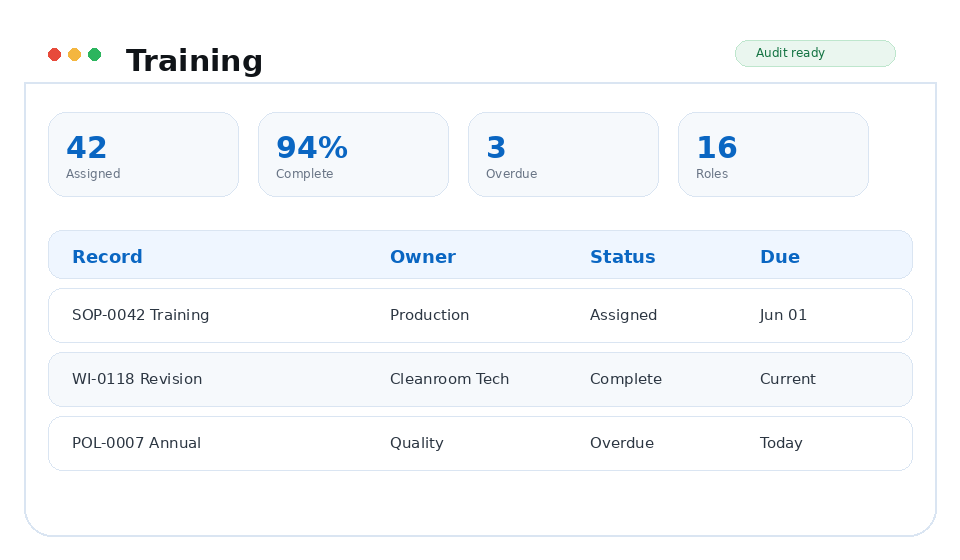
- Completion status by user
Platform / Training
When a controlled document changes, TrackerQMS helps turn that change into the right training work and keeps completion tied to the correct version.
Why it matters
Quality can see who was assigned, who completed it, and what is still outstanding without reconciling separate lists.
Capabilities
Training coordinators, document control, quality managers, supervisors, and regulated employees assigned document-based training.
Turn effective document releases into training work when required.
Target training to the people who need it.
Preserve proof that training was completed on the right content.
Workflow
Each TrackerQMS platform area is designed to create usable evidence as work happens, not after someone manually reconstructs the story for an audit.
A controlled document becomes effective or a revision is approved.
Training is assigned based on document impact, roles, groups, or manual targeting.
Users acknowledge training and TrackerQMS preserves the evidence against the correct version.
Business outcomes
Connected platform
FAQ
Make sure the right people train on the right version—and keep the proof with the record.
Training connects with Documents, Alerts, Compliance, Analytics so quality evidence stays linked across the QMS.
TrackerQMS Platform
See how the module fits into the rest of your quality process and the work your team already manages.