Platform / Alerts

Alerts

Approvals, training, overdue reviews, expiring supplier records, and other quality work show up where the right person can act on them.

Alerts
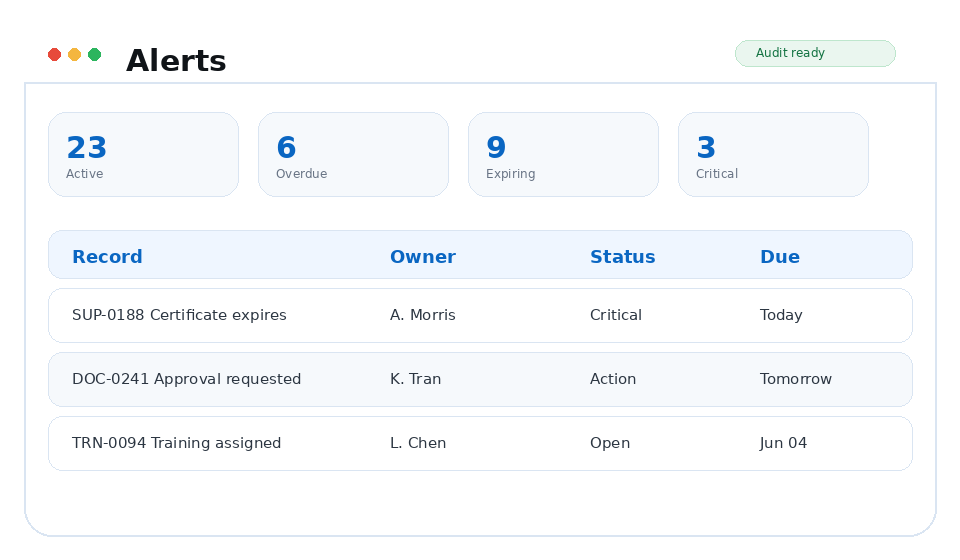
Alerts TrackerQMS module preview
Bell + pageAction focus
Active / overdue / expiring / criticalViews
Direct record linksDrilldown

Why it matters

Built around the work your team already has to do.

Your team gets a cleaner view of what needs action now, while Quality can still see the wider status of the system.

Capabilities

What you can do with Alerts

Quality leaders, document owners, supplier quality teams, training coordinators, and administrators who need a reliable daily work queue.

Operational alert center

A full-page alert workspace for quality managers, document owners, supplier quality, training coordinators, and administrators.

  • Severity, source, owner, status, and due-date filters
  • KPI cards for active, overdue, expiring, and critical work
  • Alert history that remains tied to the source record
  • Clear separation between user action alerts and system status alerts

Action-required bell alerts

Keep direct user actions separate from broader operational status alerts.

  • Approval requests
  • Assigned training
  • Documents waiting on the signed-in user
  • Deep links to the exact workflow or record requiring action

Readiness signals

Track expiring, overdue, and critical items before they affect readiness.

  • Expiring supplier evidence
  • Periodic reviews entering the queue window
  • Critical quality events
  • Late owner follow-up

Workflow

From action to evidence.

Each TrackerQMS platform area is designed to create usable evidence as work happens, not after someone manually reconstructs the story for an audit.

01

Detect

TrackerQMS identifies the source event: approval assignment, review window, training requirement, expiration, or critical status.

02

Route

The alert is surfaced in the right place: bell for direct action or Alerts page for operational status.

03

Resolve

Users open the linked item, complete the work, and the alert clears when the underlying condition is resolved.

Business outcomes

What gets easier

Fewer missed approvalsLess notification noiseBetter overdue visibilityCleaner audit preparation

Connected platform

Alerts stays connected to the rest of the QMS.

FAQ

Alerts questions

What does the Alerts module manage?

View assigned, overdue, expiring, and critical quality work in one place.

How does Alerts connect to the rest of TrackerQMS?

Alerts connects with Documents, Training, Supplier Quality, Audits so quality evidence stays linked across the QMS.

TrackerQMS Platform

See alerts in TrackerQMS.

See how the module fits into the rest of your quality process and the work your team already manages.

Request a walkthrough