Role-based workspaces
Show users the quality work that belongs to them.
- Assigned approvals
- Training actions
- Supplier follow-up
- Open quality tasks
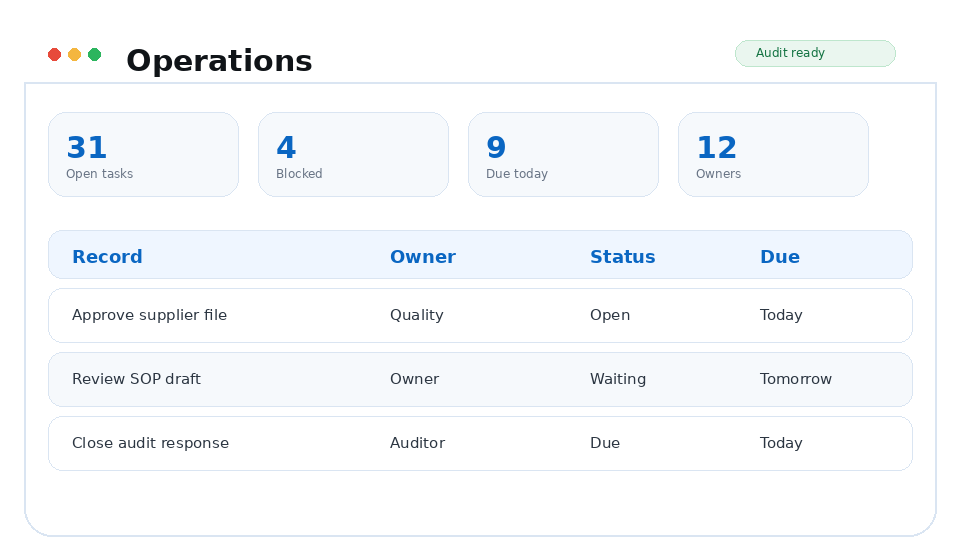
Platform / Operations
Turn QMS records into a practical daily worklist instead of making people hunt through modules for their next action.
Why it matters
Managers can see where work is moving, where it is stuck, and where follow-up is needed.
Capabilities
Quality managers, operations leaders, department owners, and teams responsible for daily QMS execution.
Show users the quality work that belongs to them.
Help managers identify bottlenecks before they become late work.
Keep day-to-day quality work moving without relying on manual trackers.
Workflow
Each TrackerQMS platform area is designed to create usable evidence as work happens, not after someone manually reconstructs the story for an audit.
See open work, aging items, and readiness gaps across the QMS.
Clarify owners, due dates, and next actions for quality execution.
Close the work in the source record and keep the evidence trail intact.
Business outcomes
Connected platform
FAQ
Give people a clear view of what they own, what is late, and what needs to happen next.
Operations connects with Alerts, Documents, Training, Supplier Quality so quality evidence stays linked across the QMS.
TrackerQMS Platform
See how the module fits into the rest of your quality process and the work your team already manages.