Platform / Documents

Documents

Move documents from draft to approval to effective use without losing the history, ownership, training impact, or review dates along the way.

Documents
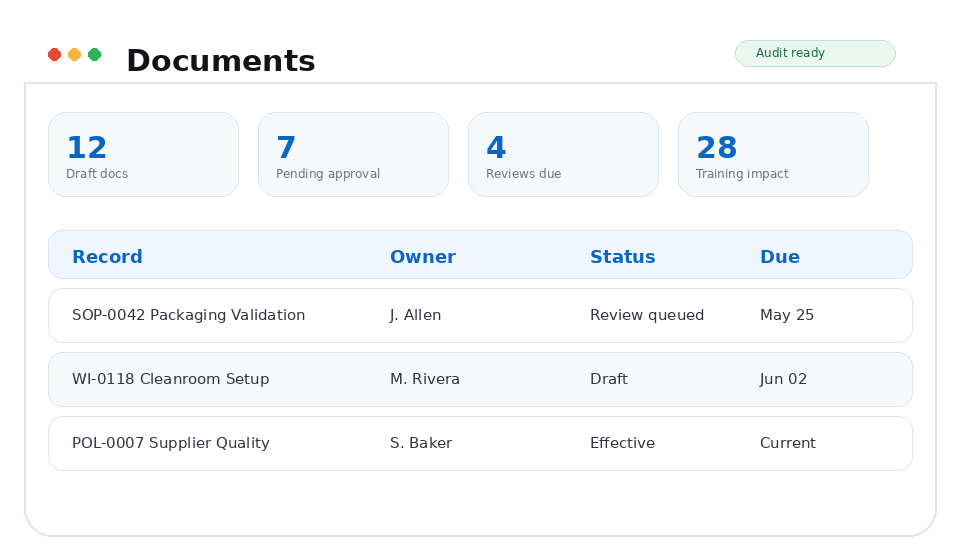
Documents TrackerQMS module preview
Draft → EffectiveLifecycle
Major / minorVersioning
Approvals + signaturesEvidence

Why it matters

Built around the work your team already has to do.

The current version is clear, the approval history stays with it, and upcoming reviews do not have to live on somebody's calendar or spreadsheet.

Capabilities

What you can do with Documents

Document control, quality assurance, operations, engineering, compliance, and executive teams responsible for controlled procedures and records.

Document control workspace

A table and workspace model built for controlled documents rather than generic file storage.

  • Document title separate from original file name
  • Scope, type, owner, status, source, tags, and version columns
  • Draft-only editing controls
  • Delete safeguards for draft-only records

Approval and release control

Configurable routing and protected workflow behavior for documents and templates.

  • Upload as Draft or Submit for Approval
  • Role and rule-based approver routing
  • Part 11-minded review and sign modal
  • Automatic effective release evidence

Reviews, retention, and training impact

Document control does not stop at approval. TrackerQMS keeps the downstream obligations visible.

  • Periodic review frequency and expected queue status
  • Retention until visibility
  • Training impact and assignee counts
  • Controlled copy download support

Workflow

From action to evidence.

Each TrackerQMS platform area is designed to create usable evidence as work happens, not after someone manually reconstructs the story for an audit.

01

Create or upload

Start from the editor, upload files, or create templates while preserving the original file name and document title.

02

Route and approve

Apply routing rules, collect approvals, and capture review/sign evidence before release.

03

Release and maintain

Release effective versions, assign training, schedule periodic review, and retain controlled records.

Business outcomes

What gets easier

Cleaner ISO 13485 document controlReduced uncontrolled filesTraceable approval historyTraining tied to the correct version

Connected platform

Documents stays connected to the rest of the QMS.

FAQ

Documents questions

What does the Documents module manage?

Keep controlled documents current, approved, easy to find, and tied to the work they affect.

How does Documents connect to the rest of TrackerQMS?

Documents connects with Training, Alerts, Compliance, Analytics so quality evidence stays linked across the QMS.

TrackerQMS Platform

See documents in TrackerQMS.

See how the module fits into the rest of your quality process and the work your team already manages.

Request a walkthrough